WaveMaker Enterprise Configure SSL for Platform
Follow below steps to Configure SSL for Platform to access Studio with https.
To start this process you need 3 files.
- crt file
- private key file
- bundle file
If you have .pem file, you can extract these files from pem file.
Upload files during the setup process
- While configuring the setup during the ConfigWizard process you can directly upload the bundle certificate and pemfile from this setp number 3.
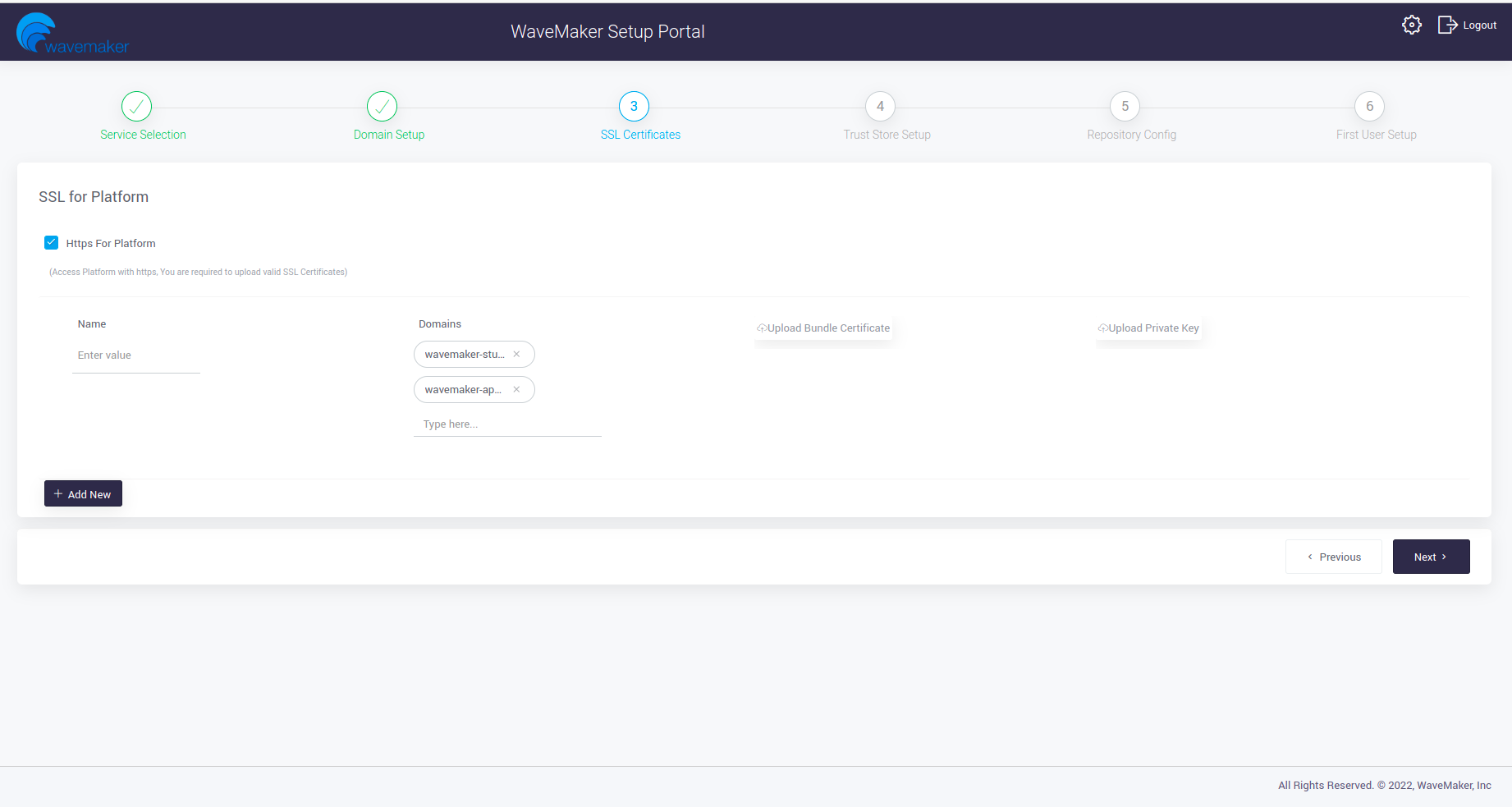
Upload files from the configwizard
-
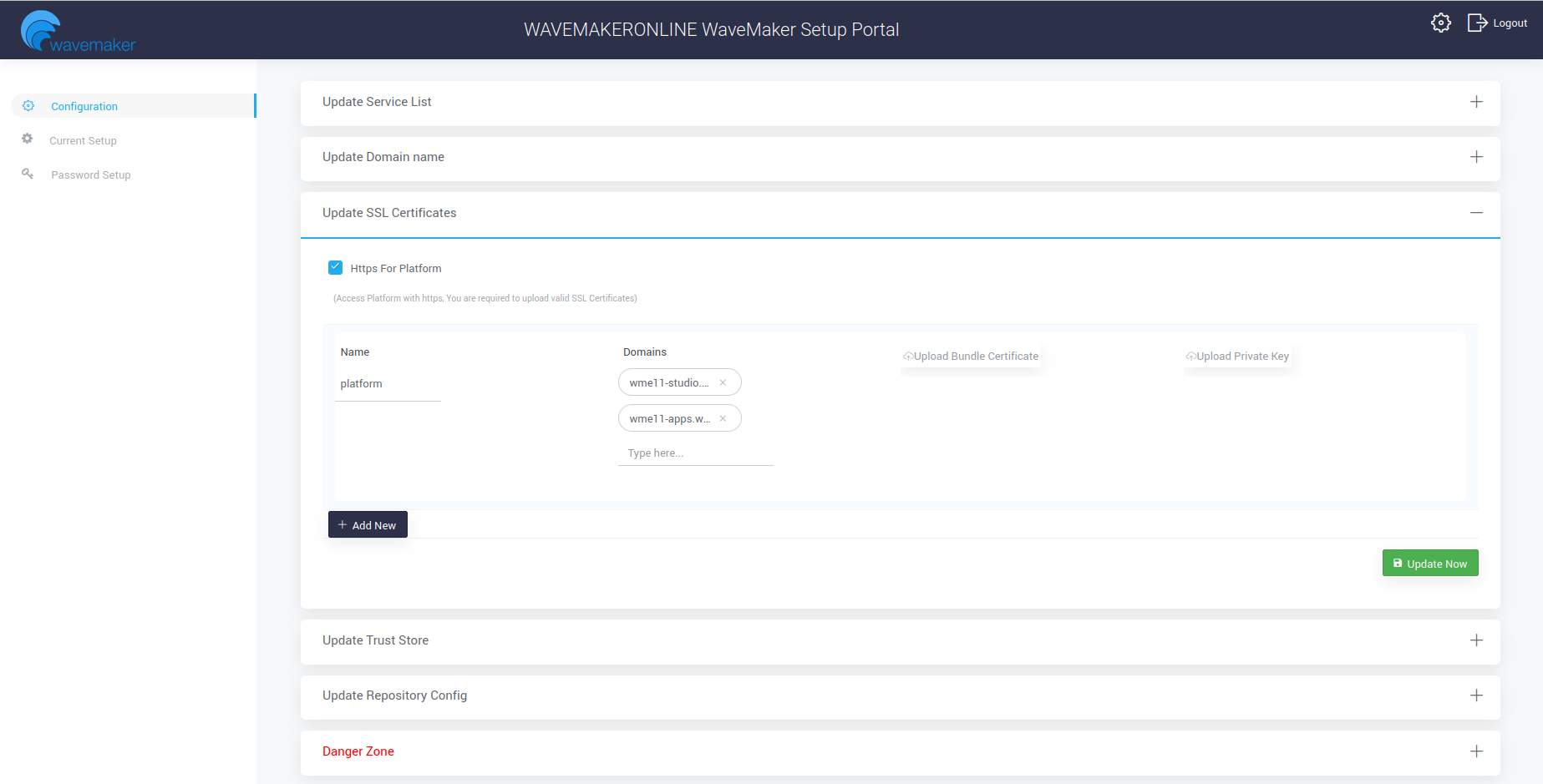
Alternatively, ConfigWizard allows you to upload the required certifiacates if you have missed to upload during setup process.
-
Login into the CW portal, after login in home page you can see settings icon on the top right as marked below.
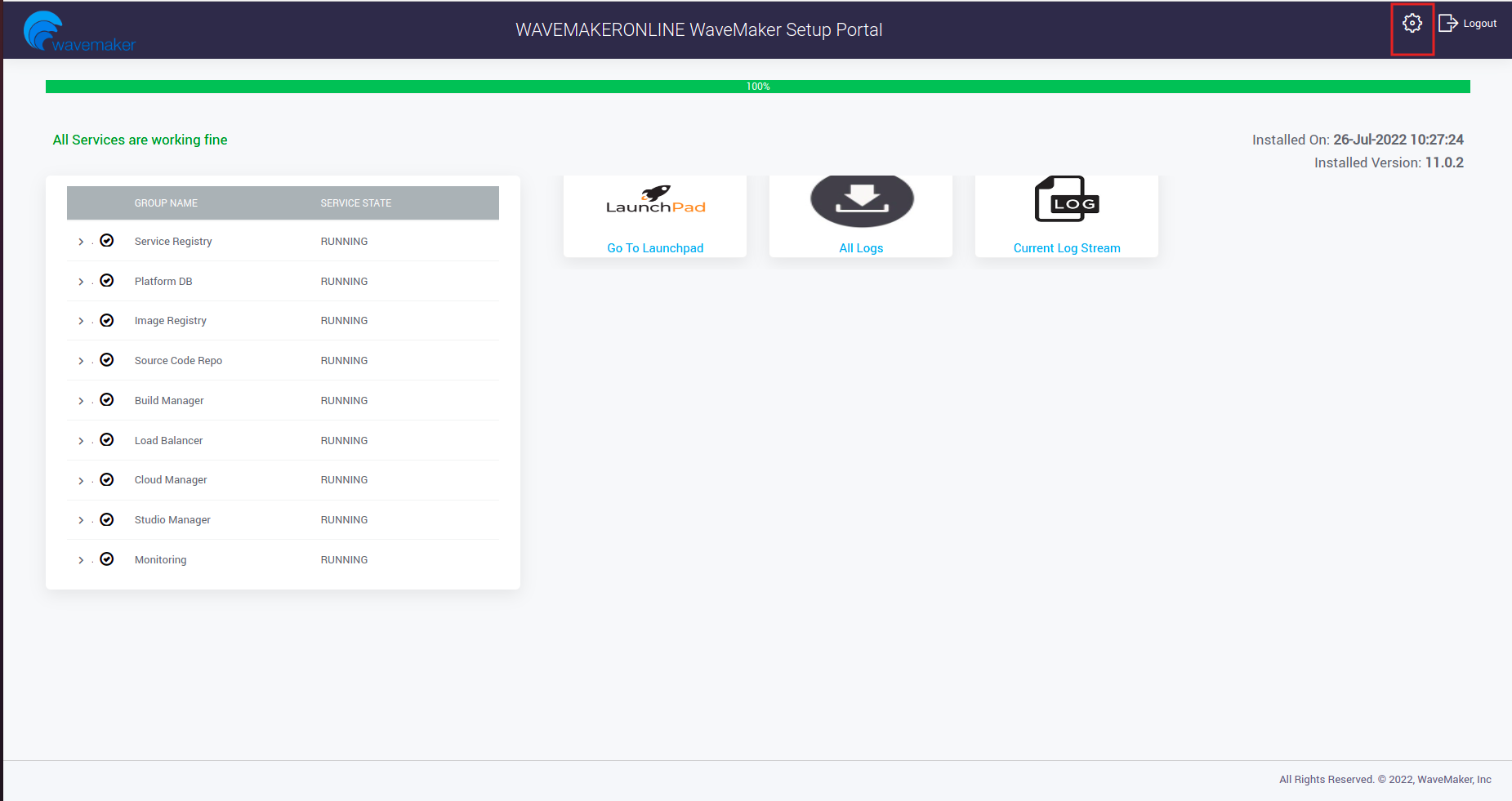
-
Navigate to Update SSL Certificates and Upload your certs.
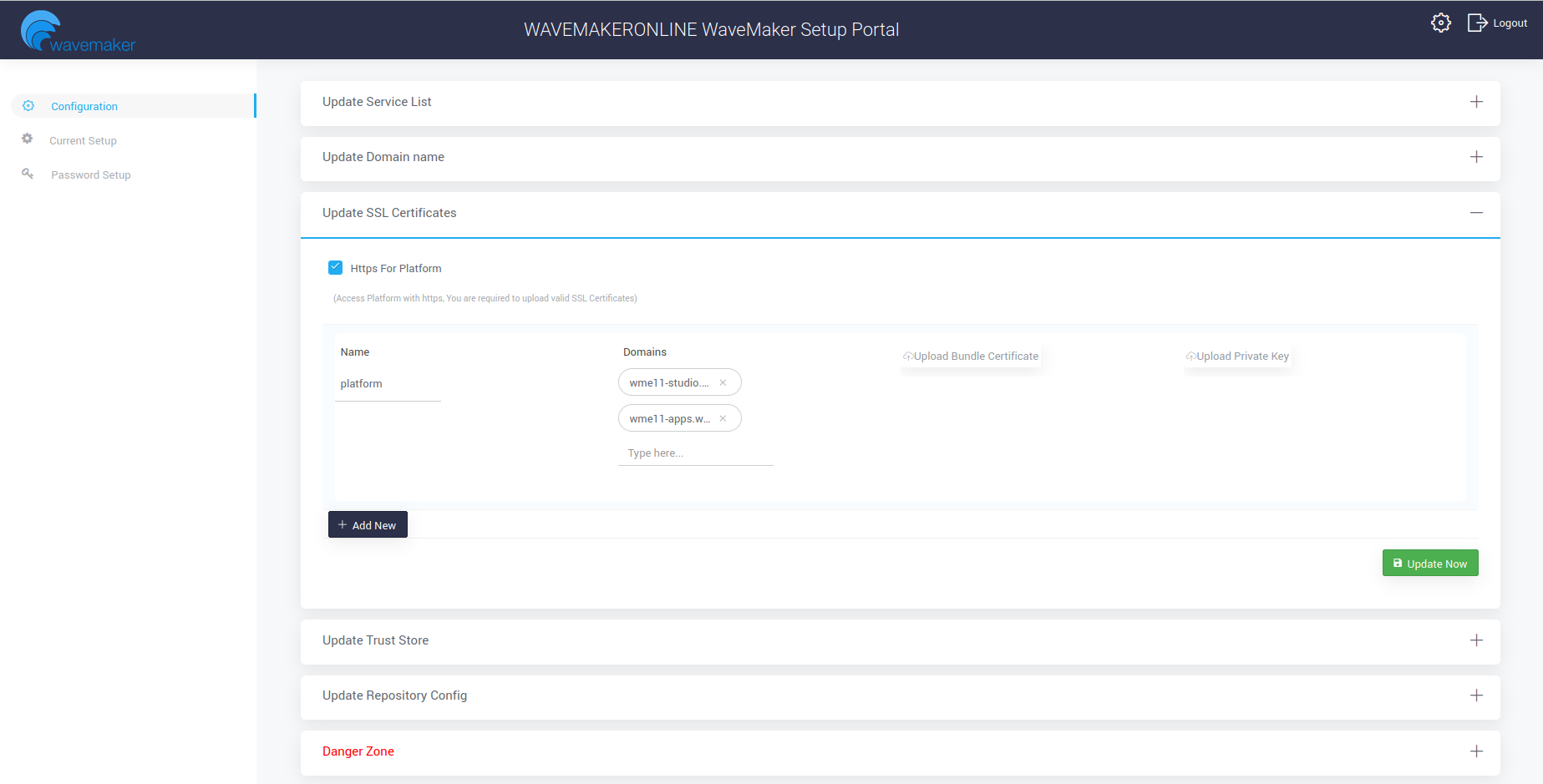
Access Studio using https
https://<DOMAIN_NAME>/