Concurrent Sessions
At WaveMaker, application security is a continuous priority. Concurrent Sessions add an additional layer of protection by controlling how many active sessions a single user can maintain at the same time.
By leveraging the Spring Security framework in the WaveMaker-generated application code, concurrent session control prevents users from authenticating to the same application more than a configured number of times simultaneously.
How It Works
WaveMaker allows developers to configure a maximum number of concurrent sessions per user using Spring Security.
Once enabled:
- A limit is enforced on the number of active sessions a user can maintain.
- When the maximum number of concurrent sessions is reached, a predefined policy determines the behavior.
- One such policy is to invalidate the least recently used session to allow a new login.
The maximum concurrent sessions value:
- Can be any positive number
- Can be set to -1 for unlimited sessions
- Cannot be set to 0
Configuring Concurrent Sessions in WaveMaker Applications
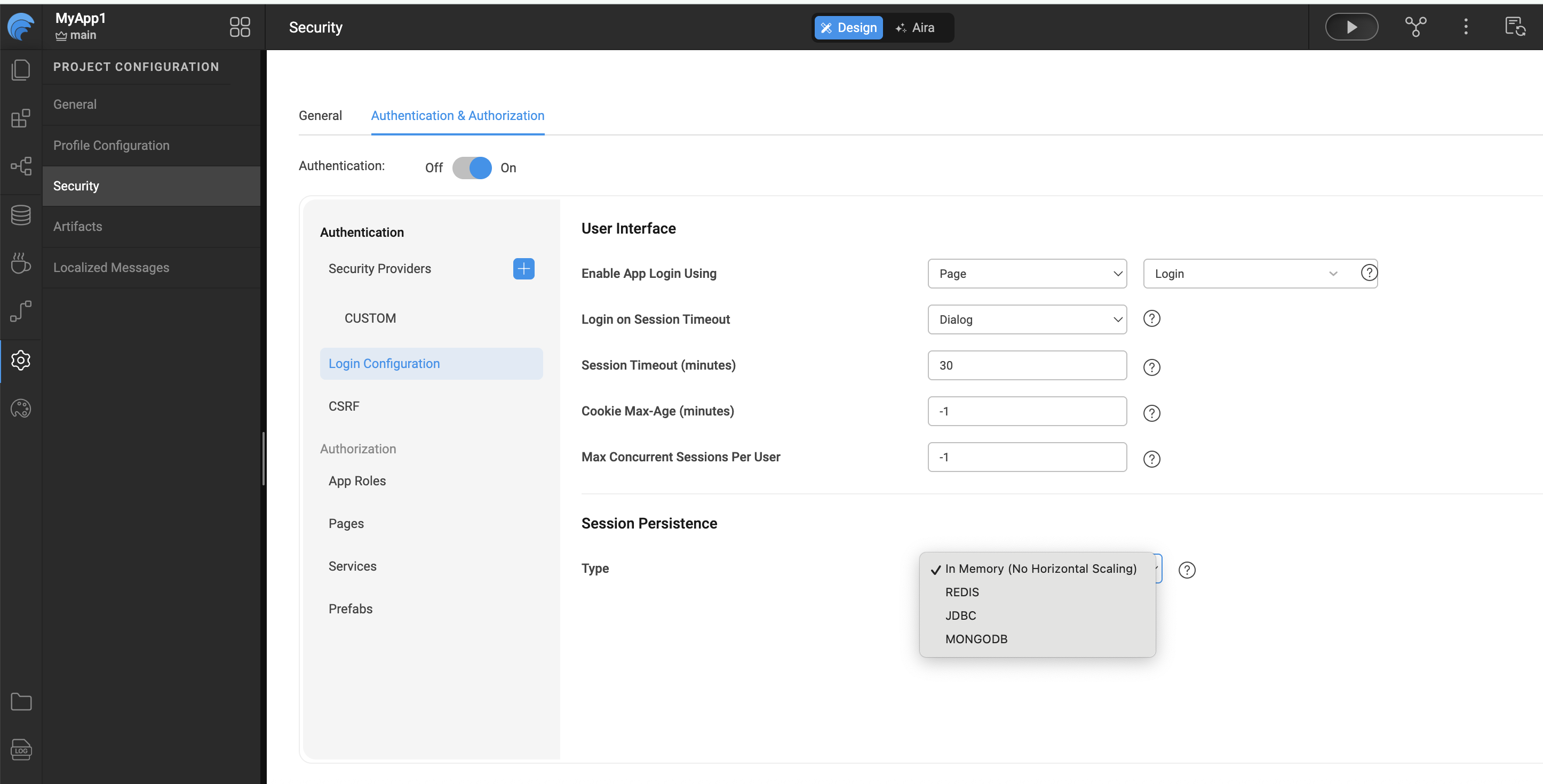
The Concurrent Sessions feature is disabled by default and is set to -1, allowing unlimited concurrent sessions.
To configure this setting:
- Navigate to Security → Authentication → Login Configuration → Max Concurrent Sessions per User.
- Specify the allowed number of Max Concurrent Sessions per User.
Security Best Practices
When configuring concurrent sessions, consider the following best practices to balance security and user experience:
- Set a low session limit (such as 1 or 2) for applications handling sensitive or privileged data.
- Use the invalidate least recently used session policy to prevent session hoarding while allowing legitimate re-logins.
- Combine concurrent session limits with short session timeouts for enhanced protection.
- Monitor session-related logs to identify unusual login patterns or potential account misuse.
- Avoid setting unlimited sessions (
-1) for externally accessible or high-risk applications unless explicitly required.
Recommended Configuration Scenarios
| Use Case | Recommended Max Concurrent Sessions |
|---|---|
| Highly sensitive internal apps | 1 |
| Enterprise business applications | 1–2 |
| Public or low-risk applications | 2–3 |
| Testing or development environments | -1 (Unlimited) |
Important Notes
- Concurrent session control is enforced server-side using Spring Security.
- Session limits apply per user, not per device.
- Logging out from one session immediately frees up a slot for a new session.
- Changes to concurrent session settings require application redeployment to take effect.